
 Mexico - Español
  China - 中文
  Australia - English
  Canada - English
  India - English
  United Kingdom - English
  United States - English
  France - Français
  Italy - Italian
  Brazil - Português
  Argentina - Español
  Chile - Español
  Colombia - Español
  Guatemala - Español
  Puerto Rico - Español
  Spain - Español
 Edit your products in bulk from Bulk Edit, manually or with AI suggestions
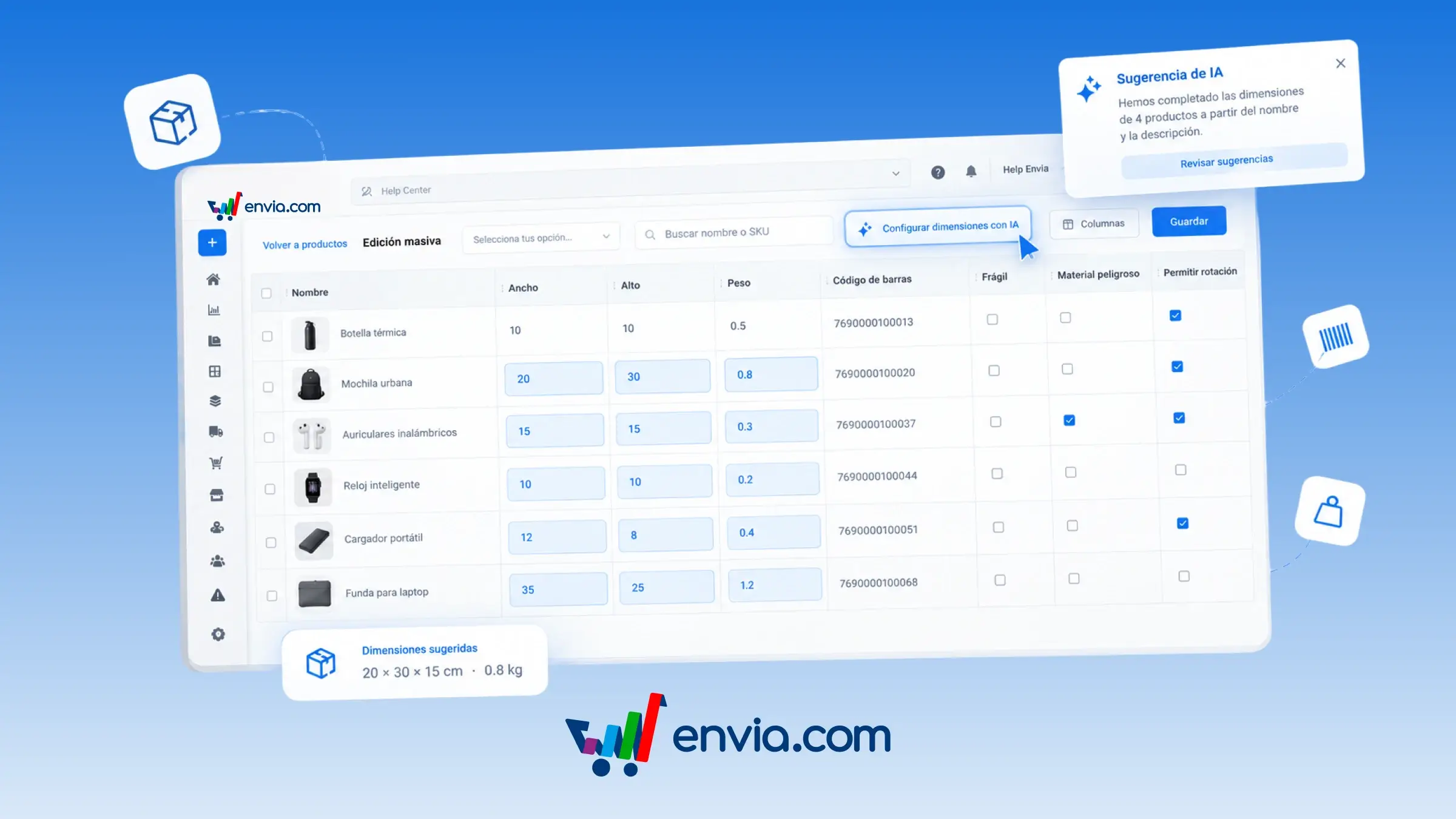
From the Products page, open Bulk Edit and update length, width, height, weight, SKU, barcode, and the fragile, hazardous material, and allow rotation flags in bulk. Every cell can be edited manually. If you'd rather get a suggestion, click Set dimensions with AI and the system suggests length, width, height, and weight based on the product name and description. The suggestion only fills the current page, leaves products that already have measurements untouched, and stays in the table until you review it and click Save. Use the Columns button to choose which data to display so you only work with what you're editing, and filter by store or search by name or SKU. Once saved, these measurements are used to quote and prepare the shipment.
Benefits
- With Columns, choose which data to display and update only the measurements, codes, or flags you need.
- Set dimensions with AI suggests length, width, height, and weight based on the name and description, and you decide whether to save.
- The measurements you save are used when quoting and preparing the shipment, so the cost matches the actual package.
Note
The AI suggestion isn't saved automatically: you need to click Save, and it only runs on the page you're viewing. Price, stock, export details, and product name can't be edited in this view.