
 Mexico - Español
  China - 中文
  Australia - English
  Canada - English
  India - English
  United Kingdom - English
  United States - English
  France - Français
  Italy - Italian
  Brazil - Português
  Argentina - Español
  Chile - Español
  Colombia - Español
  Guatemala - Español
  Puerto Rico - Español
  Spain - Español
 Enable or disable automatic Fulfillment for each connected ecommerce store
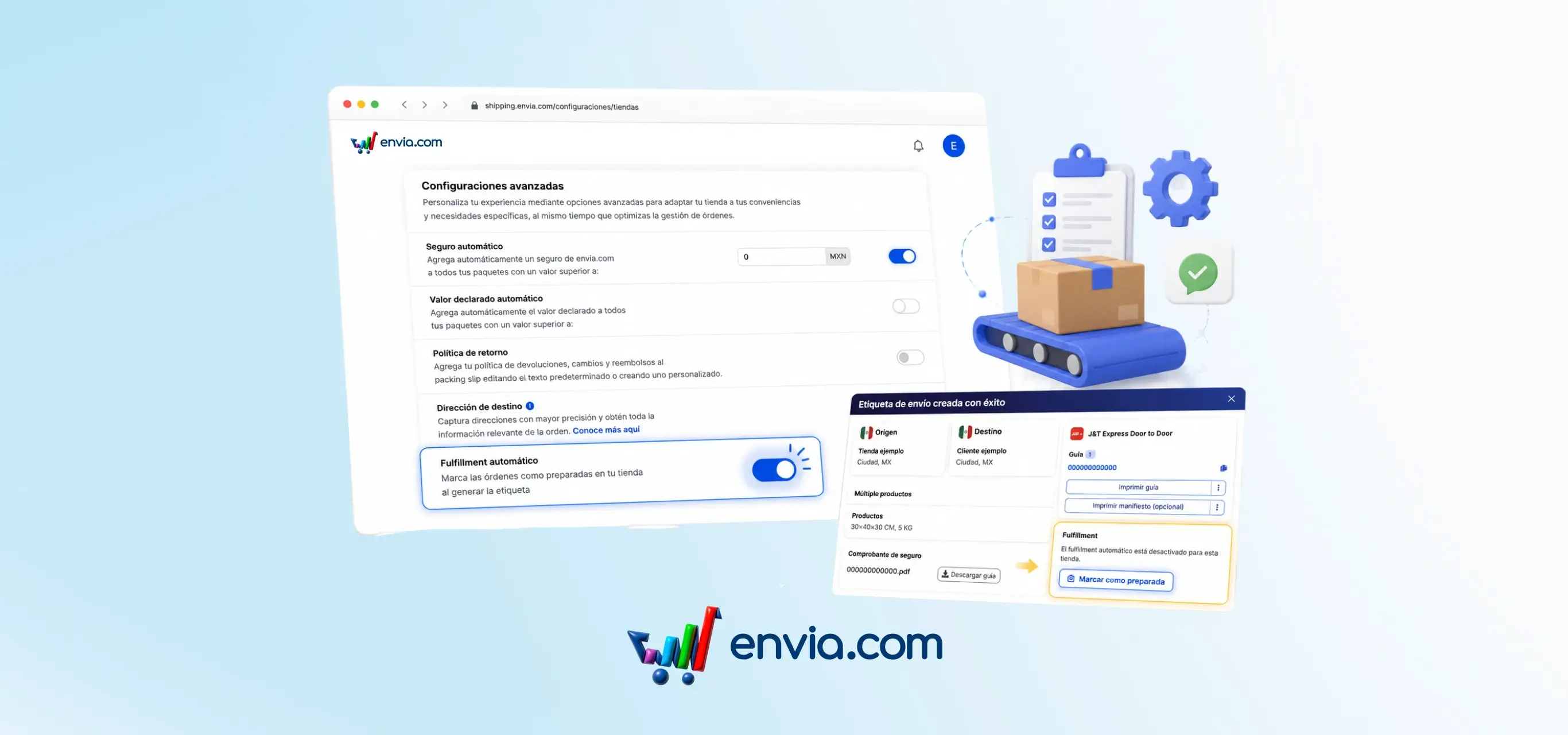
When generating a label from Ecommerce Pro, you can decide whether the order is automatically marked as fulfilled in your connected store or if you prefer to confirm it manually. The setting is located at Ecommerce Pro > Configure your store > Advanced settings, under the Automatic Fulfillment section. With the toggle on, the system sends the fulfilled signal as soon as the label is generated, with no extra steps. When turned off, the label is created normally but your store does not receive the fulfilled signal automatically; instead, the label summary displays a Mark as fulfilled button you can use when the package is ready. This is useful for orders with special packaging, quality checks, or any workflow where generating the label and shipping do not happen at the same time.
Benefits
- The setting is configured per store, so you can have one ecommerce with automatic Fulfillment enabled and another with it disabled, depending on how each operation runs.
- When automatic Fulfillment is enabled, your store receives the fulfilled signal as soon as the label is generated, with no action required from your team.
- The buyer does not see their order as fulfilled until you confirm it, preventing premature notifications when the package is not yet ready to ship.
Note
When automatic Fulfillment is disabled, you must manually mark each order as fulfilled so your connected store updates the order status.